
Filtering by District
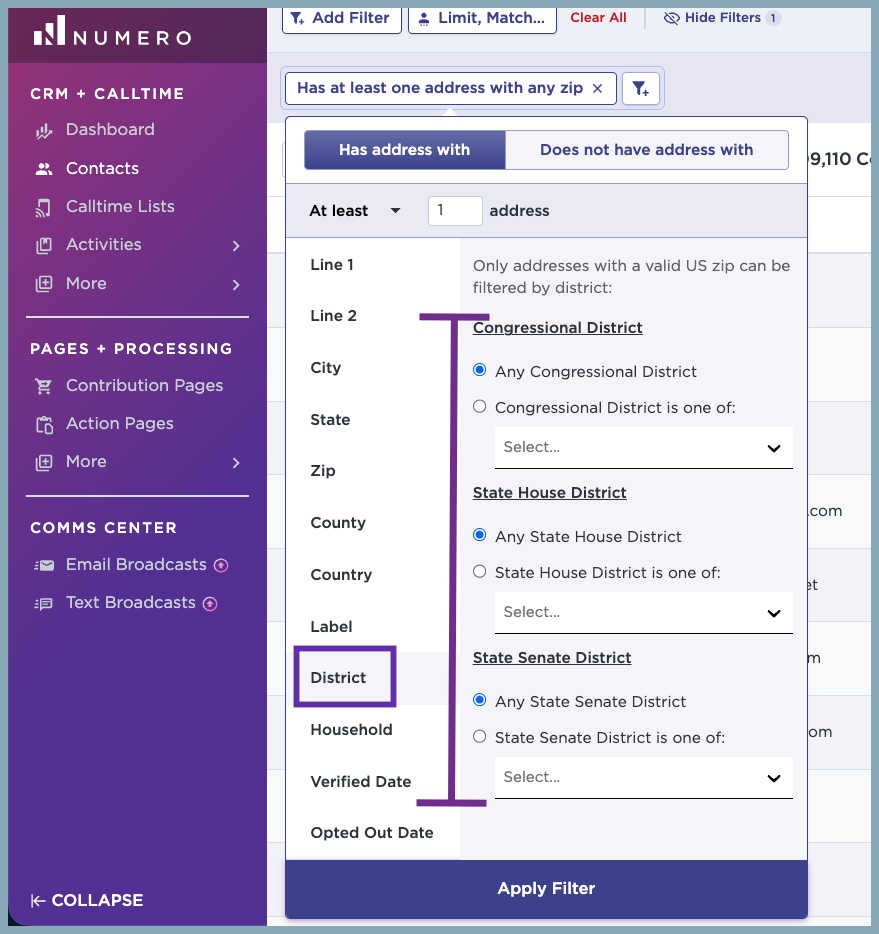
Want to build a targeted call list for a specific district? Just head over to your Contacts tab and apply the District filter. Keep in mind that the districts you see as options are generated directly from the addresses you and your team have added to your contact profiles.
Step 1: From the Contacts tab, select + Add Filter and Address
 Step 2: From the Address filter, choose the District tab. You have the option of including districts from Congressional, State House, and State Senate.
Note: The districts are also based on the current cycle inclusive of recent redistricting.