Submission Notifications
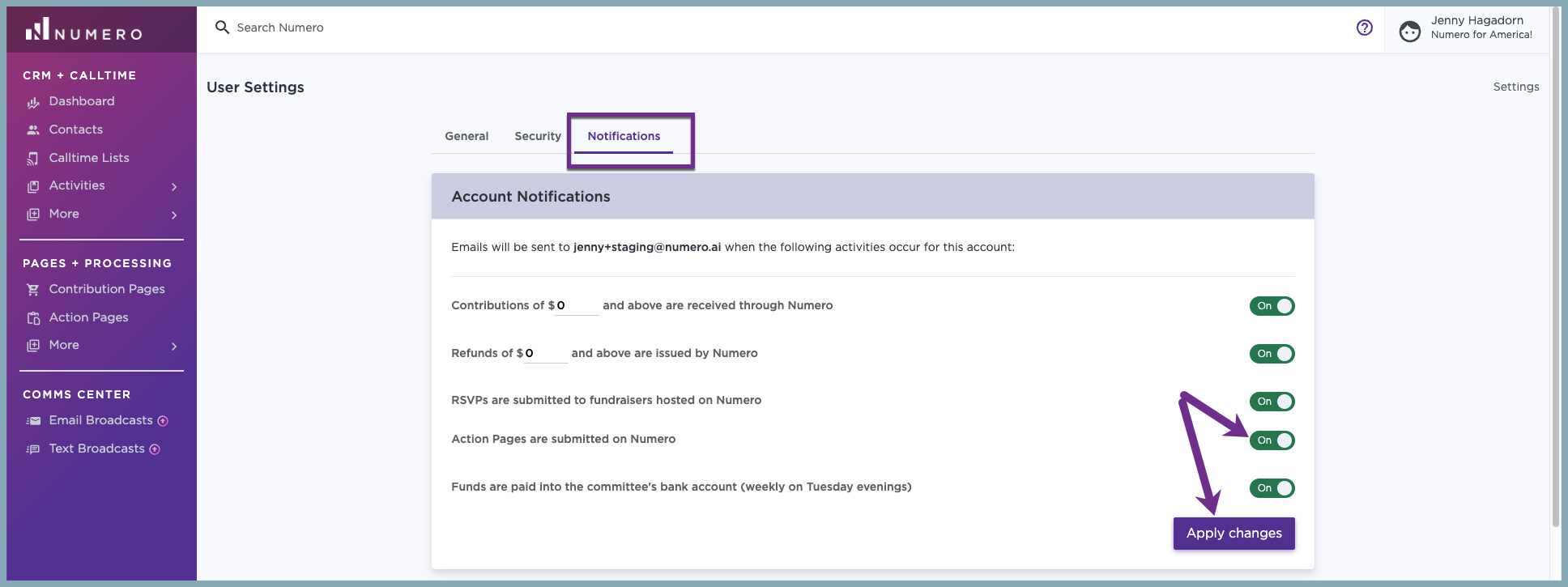
Want notifications whenever someone completes an Action Page? You can manage that in your platform's user settings. you're alerted right from your account profile. Let's walk through how to enable Action Page notifications in your user settings so your team can respond in real time.
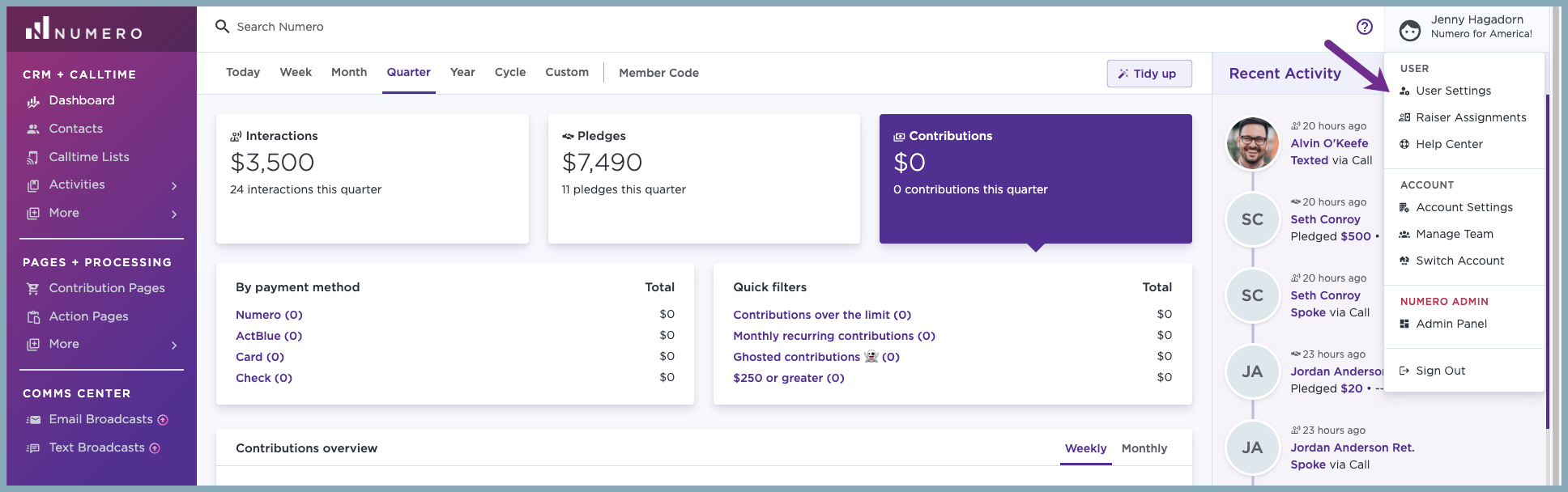
1. Select your name and User Settings from the menu dropdown.
2. Select Notifications. Toggle 'Action Pages are submitted on Numero' to Yes and Apply changes.