
Analytics Filters
We've added four new filters to Contacts: Contributions Analytics, Email Messages Analytics, Text Messages Analytics, and Giving History. You'll find them under Add Filter > Analytics.
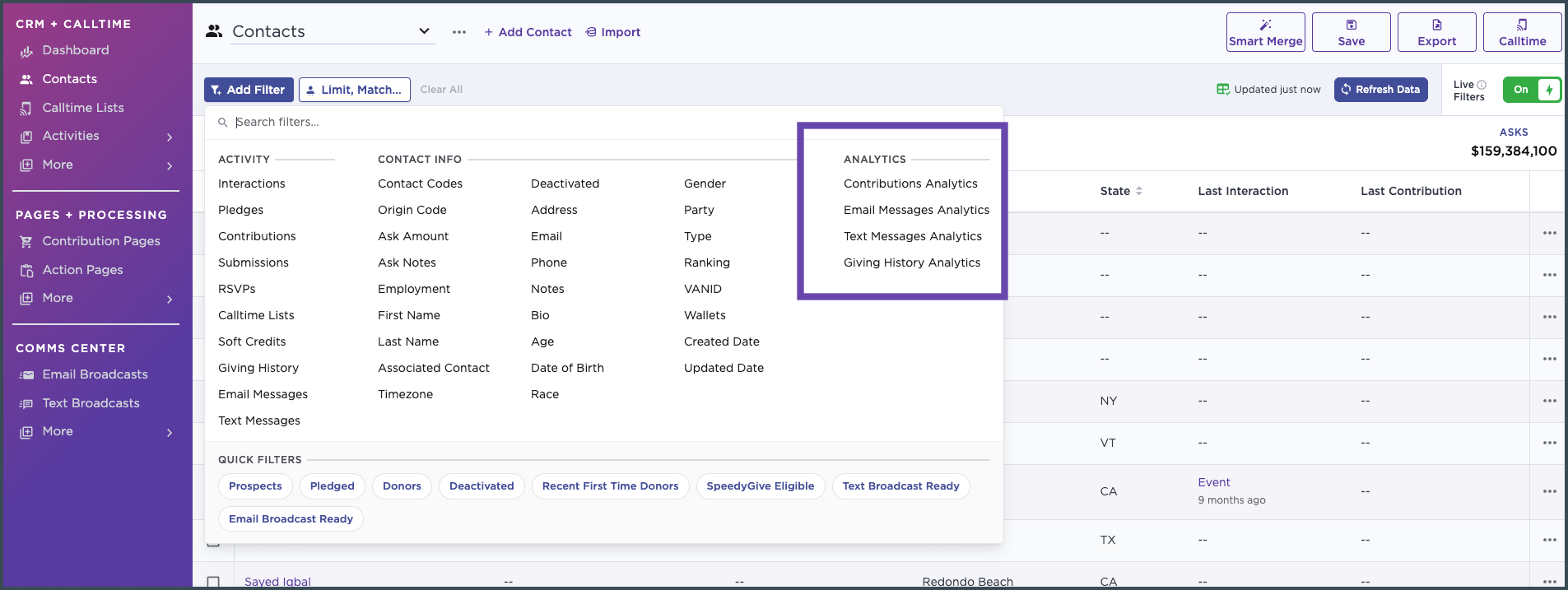
At first glance, these might look like duplicates of filters you already have, but this article explains what's actually different, why we built these, and when to reach for the new filters versus the ones you're used to.
1. Same filtering, dramatically faster
Today, if you want to filter contacts by criteria such as "clicked an email in the last 30 days," you can already do that inside the Activity filter for Email Messages. However, that filter calculates results in real time, which means if you're sorting through a large contact list, that calculation can take a while to run every time you apply it.
The new Analytics filters solve this by using pre-aggregated stats instead of calculating on the fly. We recalculate these numbers roughly every 10 minutes after an action occurs that would change them (a new click, a new send, a new contribution, etc.). So it's not literally real-time, but it's close enough that the small difference if any isn't significant for almost any use case, and the payoff is that filtering becomes dramatically faster, especially on large lists.
Bottom line: if you're building a segment based on activity counts or dates - especially on a big list - the Analytics version is much faster.
However, it doesn't fully replace the old filters
The existing Email Messages, Text Messages, Giving History, and Contributions filters aren't going away, and you'll still need them for anything that's specific to an individual broadcast or send. For example, "clicked this specific email broadcast" , "was on this specific text broadcast" , "donated on specific form" is still only available through the original filters - the Analytics filters look at aggregate activity across all sends or contributions.
Use the old filters when: you need to filter by a specific broadcast, campaign, or send.
Use the new Analytics filters when: you're filtering on overall counts or timing (e.g., "clicked in the last 30 days") and want it to run fast.
2. Brand new filtering options
Beyond speed, the Analytics filters also introduce filtering options that didn't exist before at all.
First and Last activity
Previously, you could filter on "any" instance of an action (e.g., "opened an email in the last 30 days") but you couldn't isolate someone's very first or very last interaction. Now you can, across all three Analytics filters:
- First Email / Last Email
- First Text / Last Text
- First Contribution / Last Contribution
Each of these lets you drill into specific milestones - like their last email's send date, their first text's reply date, or their last contribution amount.
Bounce-type-specific counts for email
Email Messages Analytics also breaks out bounce activity into three distinct counters that weren't previously available as standalone filters:
- Soft Bounce Count - Temporary delivery failures. The email address is still considered valid, but the message couldn't be delivered at that time. Repeated soft bounces may indicate an abandoned, deactivated, or consistently full mailbox.
- Block Bounce Count - Delivery failures caused by security filters, spam protections, authentication issues, or other blocking behavior. A high number of block bounces may indicate outdated or low-quality email addresses, spam traps, domain authentication issues, or a blacklisted domain or IP. If you suspect a domain configuration issue, contact support@numero.ai and our team can help revalidate your setup.
- Hard Bounce Count - Permanent delivery failures, typically because the email address is invalid or no longer exists. Numero automatically suppresses hard-bounced email addresses to help protect your sender reputation. If a contact shows more than one hard bounce, they may have multiple email addresses on their record that have each hard bounced.
This makes it much easier to build precise deliverability and list-hygiene segments - for example, isolating contacts with 3+ soft bounces for suppression.
If you have any questions on this, please reach out to support@numero.ai