
Change Your CRM Plan
If you need to adjust your CRM plan, you can request that from the platform! Follow the below instructions.
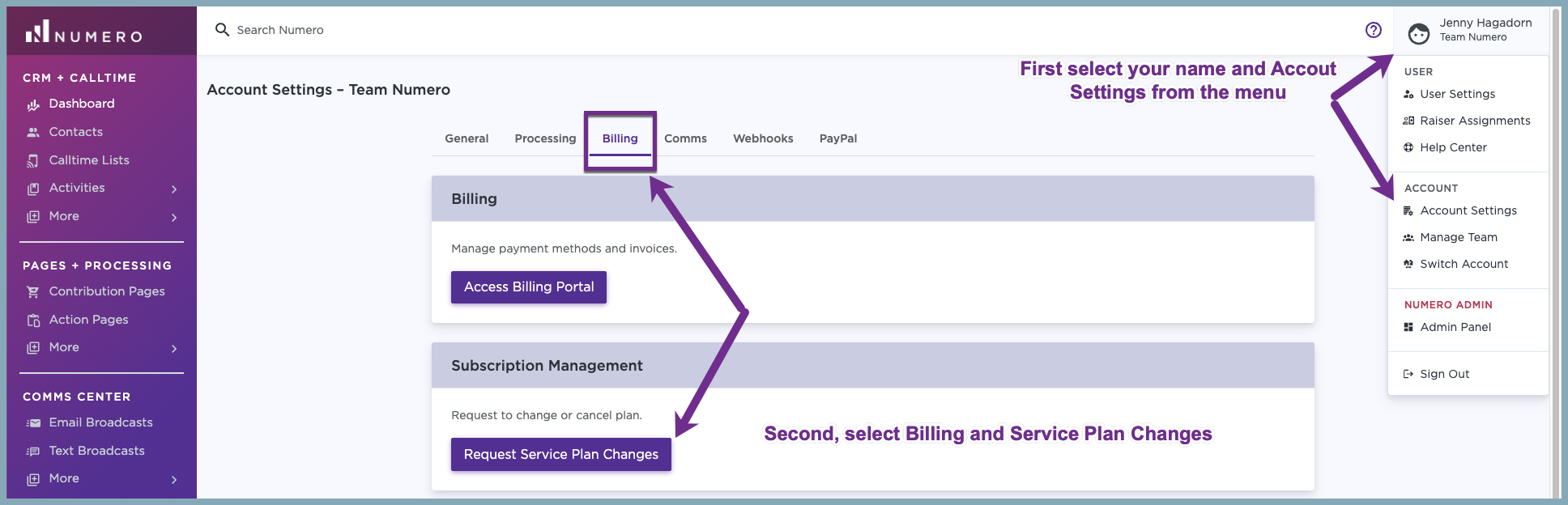
- Access the Portal: Go to Account Settings -> Billing tab and click on Change my CRM Plan
- Initiate Upgrade: You'll see your current plan - select to upgrade or downgrade from the available options in the Change to section. Include anything we need to know (optional) along with your name and email.
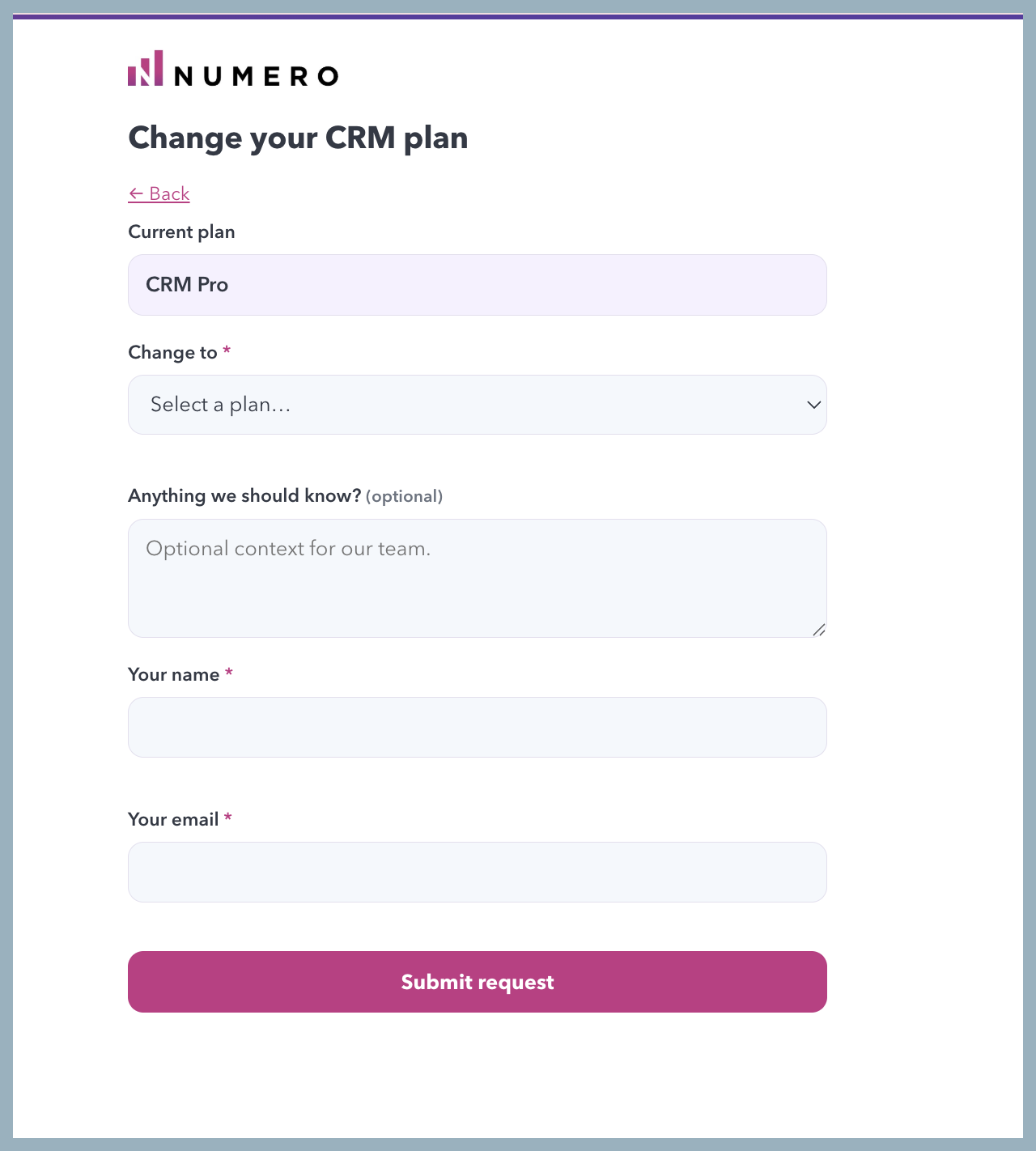
- Select Submit request
