
Custom Autosaved Column Views
As you rely on Calltime Lists and managing data across CRM tables every day, the CRM will now automatically remember your custom column preferences for each table. Custom column views are per user account.
You get to set your ideal view and your teammate can set their ideal view - such as selecting Name, Ask, and State on your Calltime Lists and the CRM will preserve those column selections every time you access any calltime list. You no longer need to manually configure your columns every single time you visit your Calltime Lists, for example.
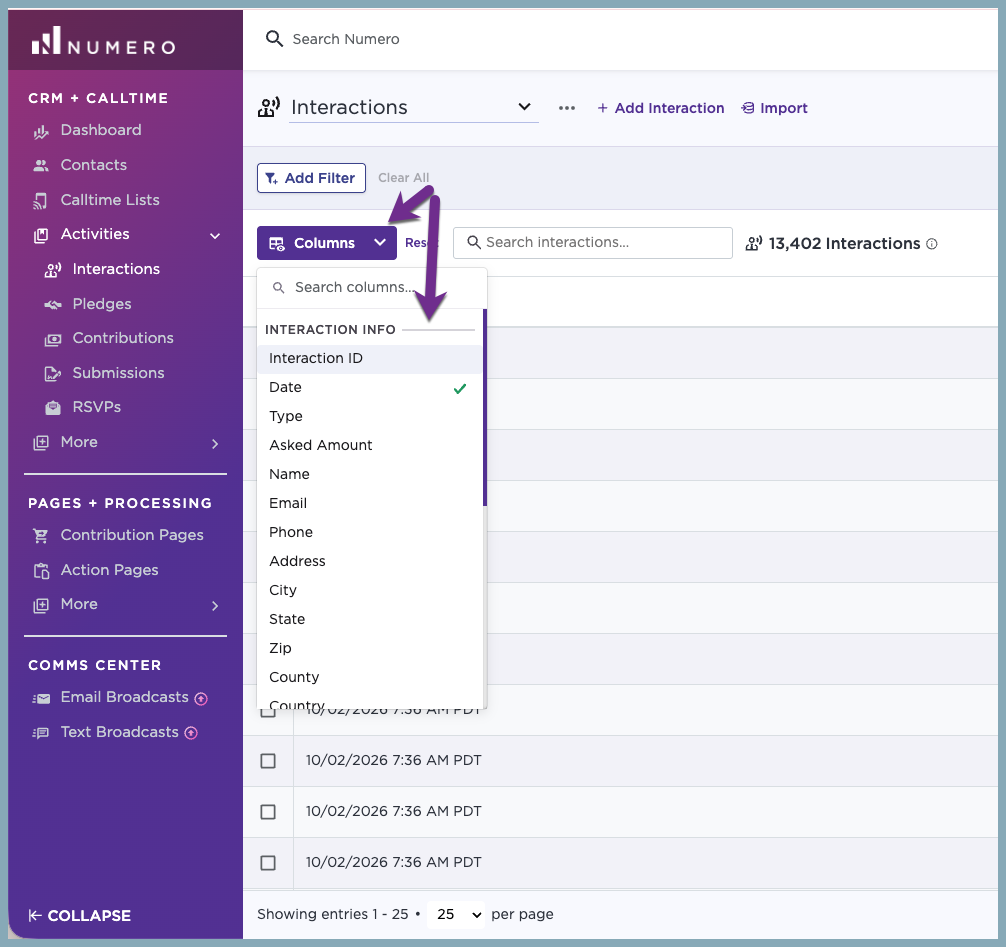
We designed this feature to work with your existing habits while protecting how you collaborate with team members:
- 💾 Saved Preferences: Your custom column choices automatically apply whenever you load a table within the same tab (e.g. Pledges tab) or opening a new tab
- 🔗 Link Sharing: If a teammate shares a specific link with you that already includes custom URL parameters for columns, the CRM respects that shared link first. This ensures you see exactly what your teammate intended
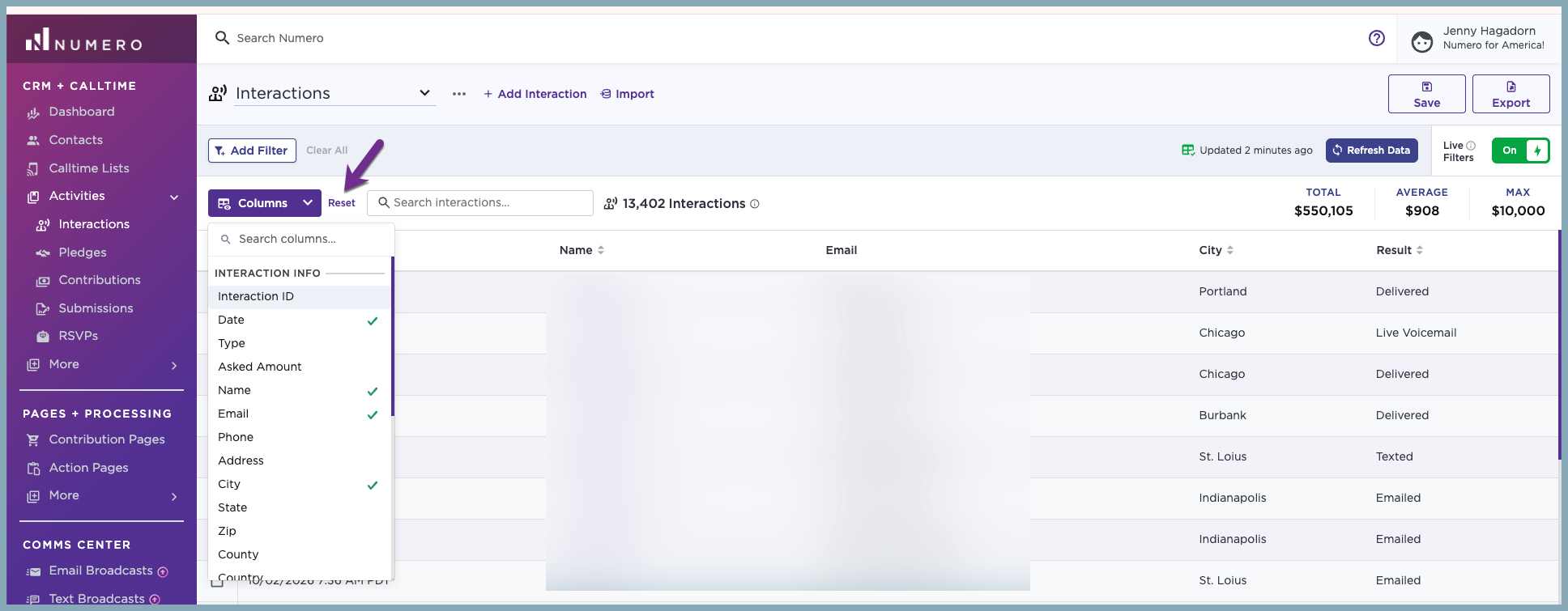
- 🔄 Reset Button: We’ve added a Reset button to give you control over what you're viewing:
- Clicking Reset reverts the view back to the system defaults
- If you opened a custom shared link from a teammate, clicking Reset clears your view and restores to the system defaults
Custom Exports - For easy exporting of the exact columns in your view, select Export Contacts- Custom, and select the Use select table columns option.
