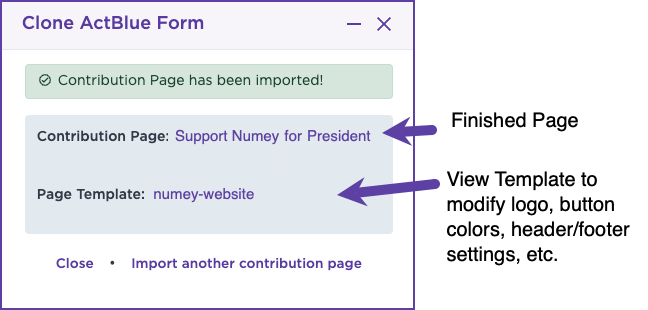
How can I recreate an existing contribution page outside of Numero?
Easily recreate your ActBlue contribution pages in Numero! Our Clone ActBlue Form feature allows you to quickly replicate an ActBlue contribution page into Numero: images, colors, layout, fonts, and all. Whether you're looking to test performance, align branding, or transition fully to Numero, this tool makes it seamless.
- Go to your Numero dashboard
- Navigate to the Contribution Pages section
- Select + New Page
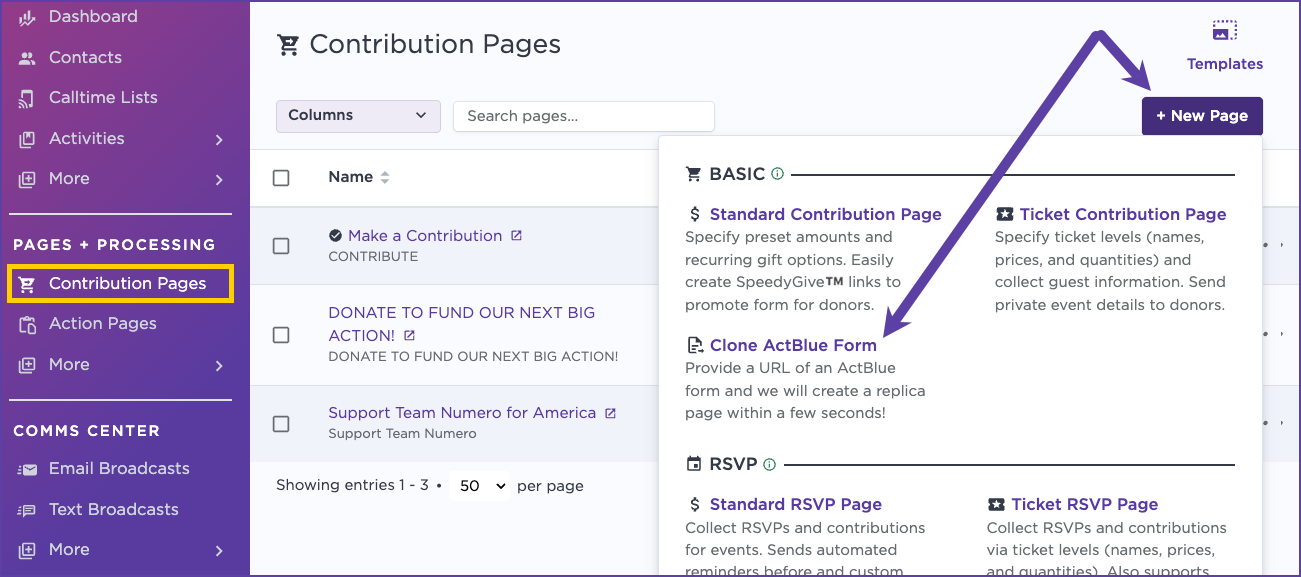
- From your page options select "Clone ActBlue Form"
- Fill out the request form with your ActBlue Contribution Form URL (at minimum), plus optional Campaign Website URL, Page Template Name
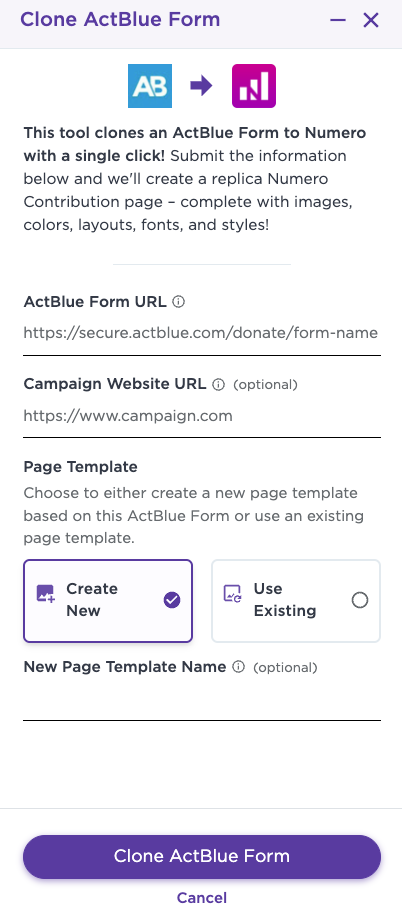
- Click Clone ActBlue Form
- Review page. Once your bank is connected, you can begin collecting contributions through your Pages.